Desktop App UI
Description
The Desktop App UI is the front end of the Station App. Once users have downloaded the Station Desktop App from the distribution website, they will be interacting with this UI.
Available Codebases
UX Wireframes
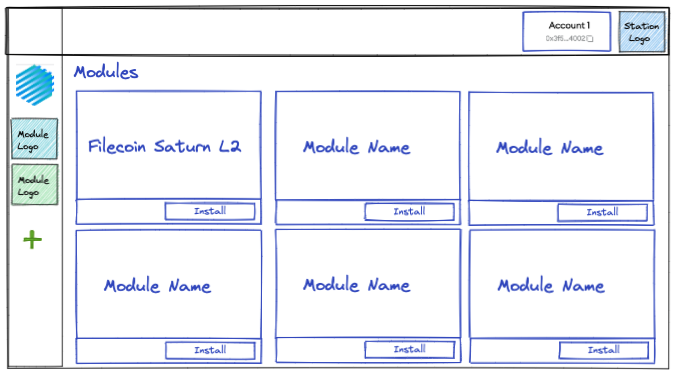
/modules
When a user is on the modules directory page, they can see a list of modules that are available to install. For the initial MVP, the only available module will be Filecoin Station. However, this gives a picture of what the page will go on to look like.
Taking inspiration from Slack and VS Code, on the far left hand side we have a thin side bar for switching between modules. If we click on the plus button it will take us to this modules directory page. This side bar can be hidden for the MVP release.
In the top bar we have modules that transcend other modules like the Wallet.
/wallet
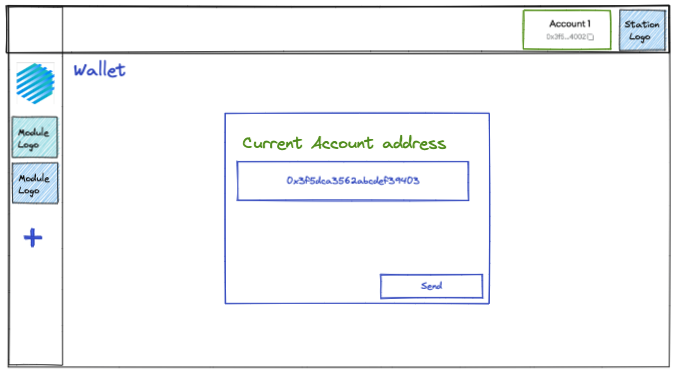
If we click on the wallet details in the top right, we are taken to the wallet module page. This is a module that is automatically installed on every user’s Station.
/modules/station
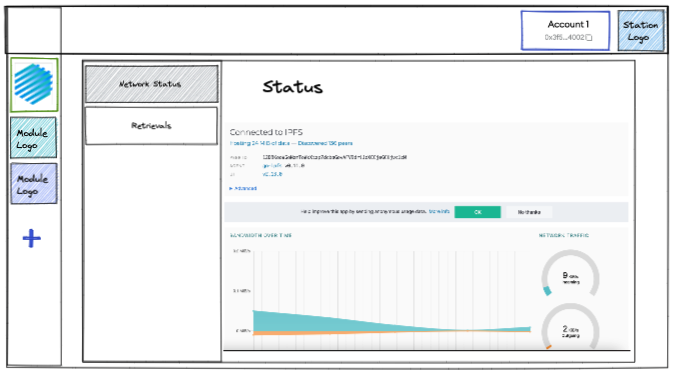
If we click on a module in the left hand bar, we render that modules UI in the remainder of the page. Here we can see Filecoin Station with its own sidebar. Taking inspiration from browsers, we can allow the module itself to be set up in any way the developers choose, and they will be aware of how it will look in the Station app. They will also be given an interface to interact with the wallet.